What's in the Package
Connect Your Music Source
Connect your phone, laptop, or DJ equipment to the transmitter(s):
- For Phones/Tablets: Use the 3.5mm AUX cable. Plug one end into your device's headphone jack, the other into the transmitter's "INPUT" port.
- For Laptops: Same as above—use the AUX cable into the headphone jack.
- For DJ Mixers/Equipment: Use the RCA cables (red/white). Connect to the mixer's output, then to the transmitter.
- No Headphone Jack? Use the USB-C to 3.5mm adapter (included in the package).
Two Channels (House Party & VIP packages): You have 2 transmitters = 2 independent music sources! Connect different devices to each transmitter for dual music channels.
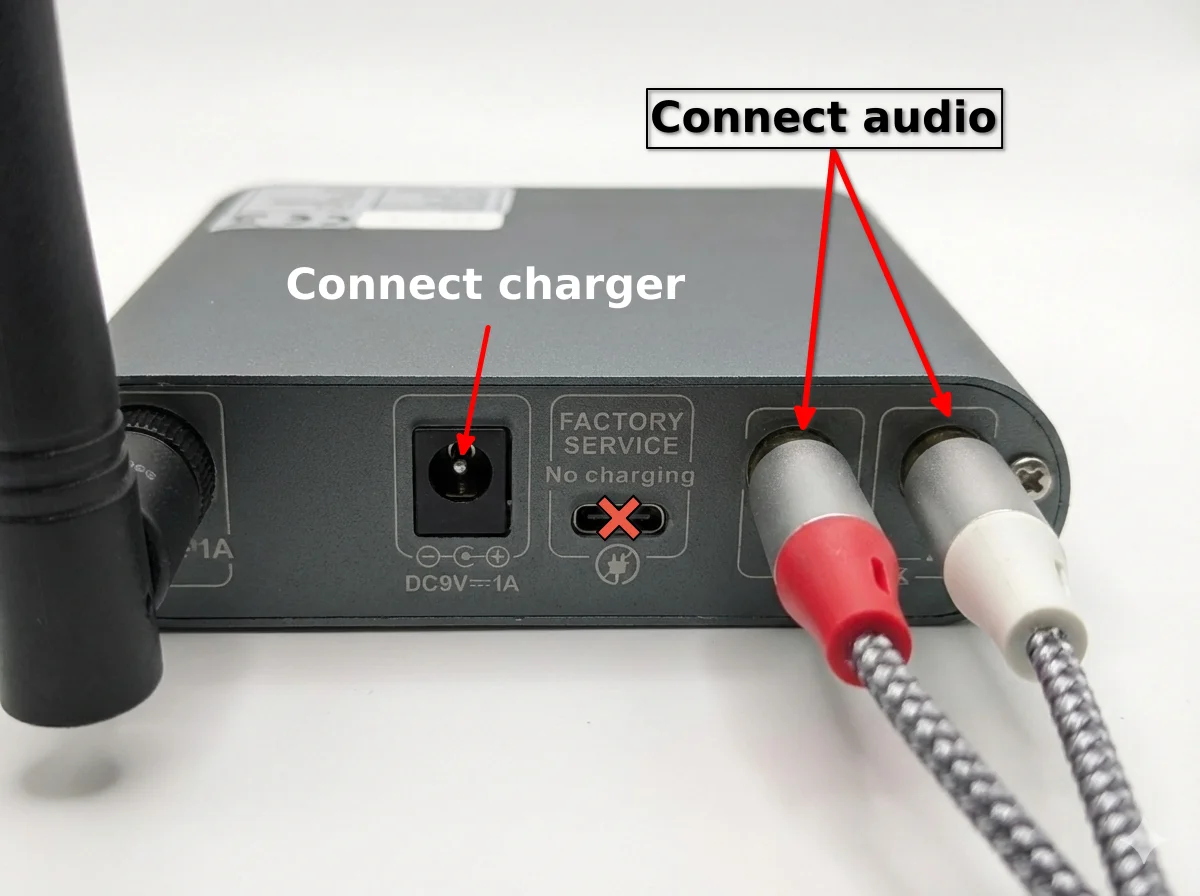
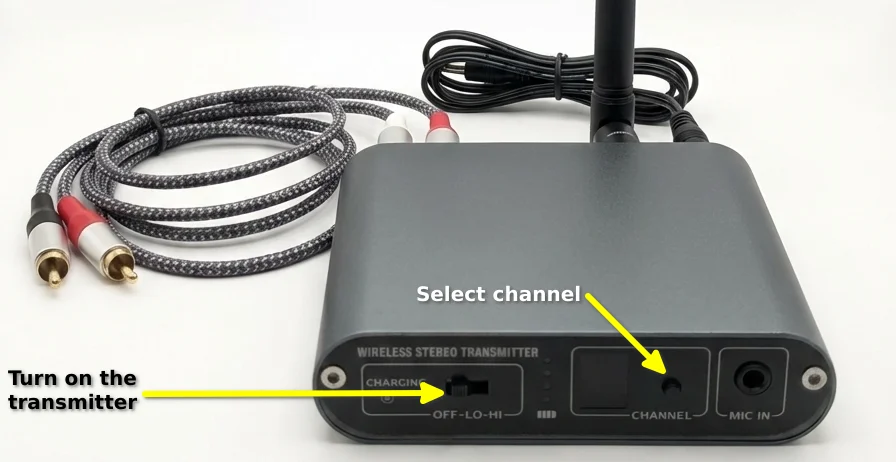
Turn On the Transmitter(s)
Power up the transmitter(s) and start broadcasting:
- Switch the slider to "Low" or "High" to turn on the transmitter.
- Channel Selection: Each transmitter broadcasts on a specific channel (usually labeled Red, Green, or Blue).
- The transmitter will automatically start broadcasting to the headphones—no pairing needed!
- Range: Transmitters work up to 100-150 meters in open space. Inside apartments, expect 30-50 meters (more than enough for any flat).
- Battery: All equipment comes fully charged with 10+ hours battery life—ready to party right away!
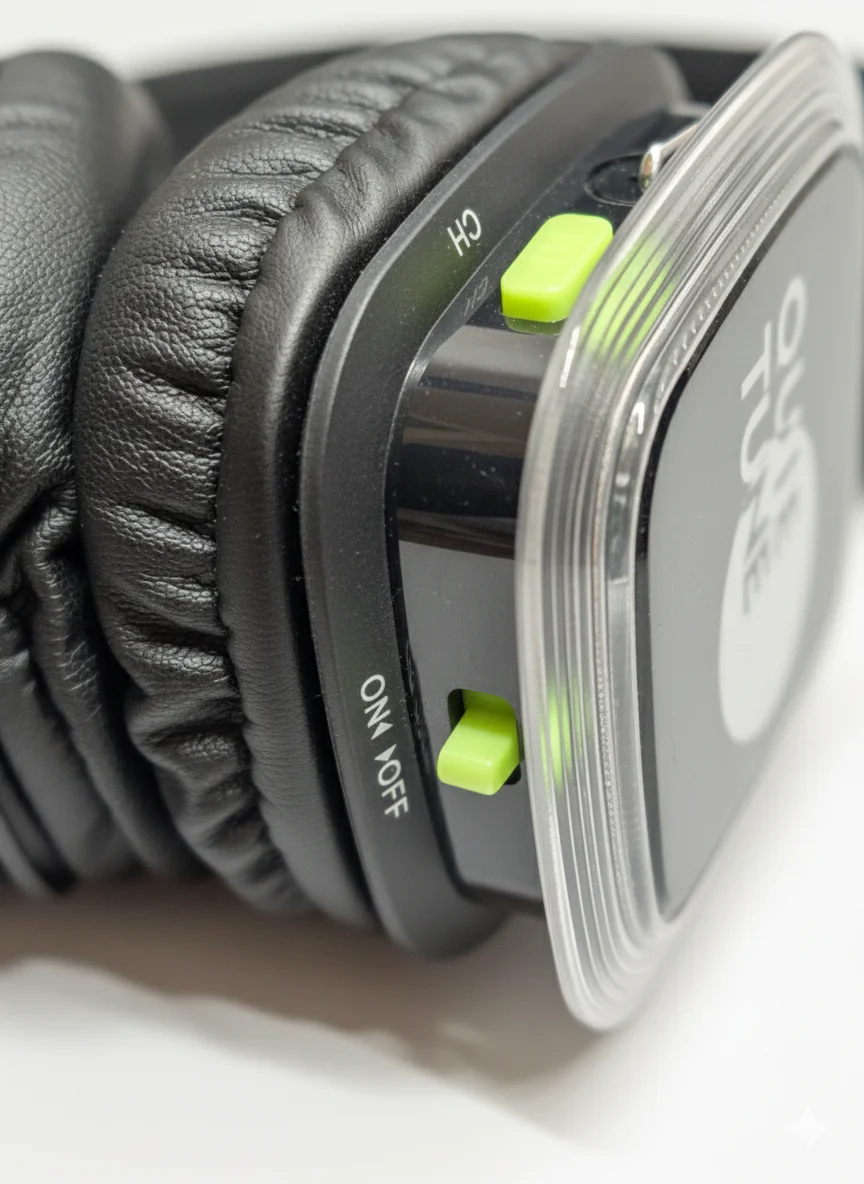
Turn On the Headphones
Time to get the headphones ready for your guests:
- Switch the power button to turn on each headphone.
- The LED will light up in Red, Green, or Blue—this indicates which channel it's receiving.
- Switching Channels: Press the channel button (usually labeled "CH" or has color icons) to switch between Red/Green/Blue channels.
- All headphones are pre-paired to your transmitters, so they'll connect automatically within seconds.
Start the Music & Adjust Volume
You're almost there! Time to test and fine-tune:
- Play Music: Start playing music from your connected device (Spotify, YouTube, DJ set, etc.).
- Volume Control: Set your device volume to 80-90%. Then use the volume buttons on each headphone to adjust individually.
- Sound Check: Put on a headphone and walk around to test the range and sound quality.
- Two Channels? Make sure each transmitter is playing different music. Guests can switch channels on their headphones to choose their vibe!
You're ready to party! 🎉
Troubleshooting
No Sound / Headphones Not Connecting
Solution: Make sure the transmitter is on and broadcasting. Check that the headphone is tuned to the correct channel (press the CH button to cycle through Red/Green/Blue). If still no sound, turn the headphone off and on again—it should auto-connect within 10 seconds.
Weak Signal / Cutting Out
Solution: Move the transmitter to a more central location, ideally elevated (on a shelf or table). Avoid placing it near thick walls or metal objects. The transmitter works best with a clear line of sight to the headphones.
Music Sounds Distorted or Too Quiet
Solution: Lower the volume on your music source device to 70-80% (don't max it out—this causes distortion). Then increase the volume on the headphones themselves for clearer sound.
Headphones on Different Channels Won't Sync
Solution: This is intentional! Each channel is independent. If you want everyone on the same music, make sure all headphones are tuned to the same color channel (e.g., all on Red). Press the CH button to switch channels.
Still Need Help?
We're available 24/7 in English via WhatsApp or email. Don't hesitate to reach out—we want your party to be perfect!